USB Host
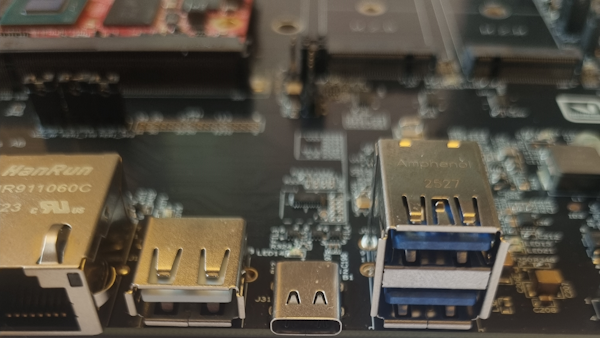
The SOM Carrier Boards have three USB type A sockets which can be used on all CPUs. These tests require a USB Memory Stick.
U-Boot
The U-Boot normally has USB support for reading/writing USB memories. However, it has been disabled for the RZ/G3E SOM.
Linux
Linux has support for a wide range of USB devices including mouse, keyboard, memory sticks, hubs etc.
It is possible to see which USB devices are currently connected.
lsusb
Bus 001 Device 001: ID 1d6b:0002 Linux Foundation 2.0 root hub
Bus 001 Device 002: ID 0424:2744 Microchip Technology, Inc. (formerly SMSC) Hub
Bus 001 Device 003: ID 0424:2740 Microchip Technology, Inc. (formerly SMSC) Hub Controller
Bus 002 Device 001: ID 1d6b:0002 Linux Foundation 2.0 root hub
Bus 003 Device 001: ID 1d6b:0001 Linux Foundation 1.1 root hub
Bus 004 Device 001: ID 1d6b:0003 Linux Foundation 3.0 root hub
Bus 004 Device 002: ID 0424:5744 Microchip Technology, Inc. (formerly SMSC) Hub
Bus 005 Device 001: ID 1d6b:0002 Linux Foundation 2.0 root hub
Bus 006 Device 001: ID 1d6b:0001 Linux Foundation 1.1 root hub
When a new USB device is connected some status messages will be printed in the console. The following comes when inserting a USB memory stick.
usb 2-1: new high-speed USB device number 3 using ehci-platform
usb-storage 2-1:1.0: USB Mass Storage device detected
scsi host0: usb-storage 2-1:1.0
scsi 0:0:0:0: Direct-Access     USB      Flash Disk       1100 PQ: 0 ANSI: 0 CCS
sd 0:0:0:0: [sda] 3915776 512-byte logical blocks: (2.00 GB/1.87 GiB)
sd 0:0:0:0: [sda] Write Protect is off
sd 0:0:0:0: [sda] No Caching mode page found
sd 0:0:0:0: [sda] Assuming drive cache: write through
 sda: sda1
sd 0:0:0:0: [sda] Attached SCSI disk
The interesting part above is the sda: sda1 which indicates which device (sda1) that the USB memory stick is assigned to.
To be able to access the memory stick it must first be mounted.
mkdir /mnt/usb
mount /dev/sda1 /mnt/usb
The memory stick is now available in the /mnt/usb directory on the file system.
ls /mnt/usb/
hello.txt
ea-image-base-rzg3e-ea-som.rootfs.tar.gz
Before physically removing the memory stick from the carrier board, it should be unmounted to make sure that all pending write operations are committed to prevent data loss.
umount /mnt/usb
There are many different USB devices and the level of support varies with the kind of device. Keyboards will work without any extra work – just plug in and start typing. A mouse will work but without a graphical desktop it will be difficult to use it.